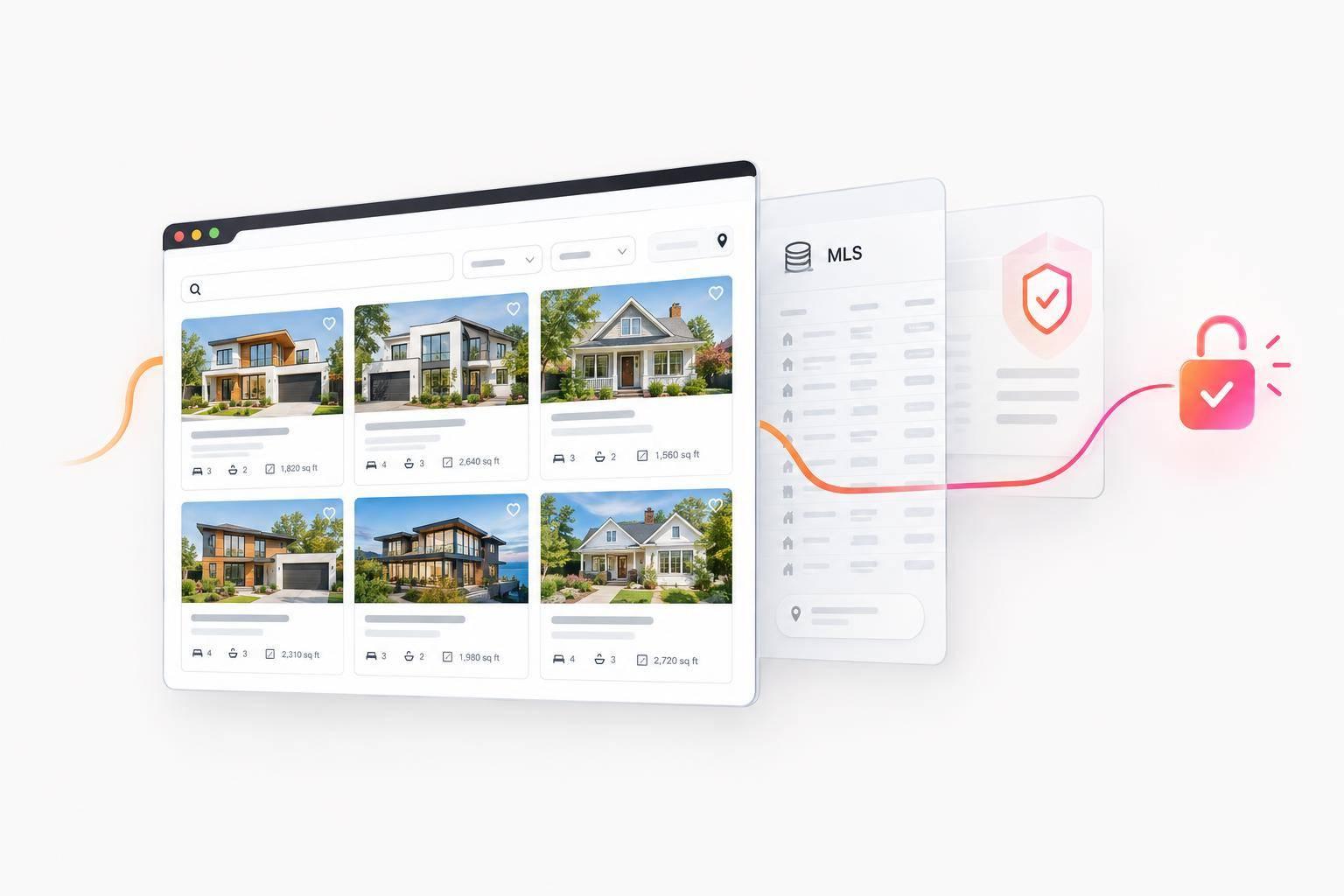
Yes, you may use IDX without being a REALTOR® - if your local MLS approves your status and planned display. My advice: get written confirmation of eligibility, broker consent where required, and website approval before buying a plugin.
Here’s what I’d check first:
- Your role: Licensed nonmembers may qualify under local rules. Affiliated agents generally need a participating broker’s consent.
- Your permissions: Unlicensed owners and vendors need an approved arrangement; owning a website or handling its data grants no independent display rights.
- Your setup: Confirm agreements, domains, fees, listing credits, update schedules, and removal rules before launch.
<u>A license, association membership, or IDX plugin alone does not grant listing-display rights.</u> If you don’t qualify, use content you have permission to publish without an MLS feed.
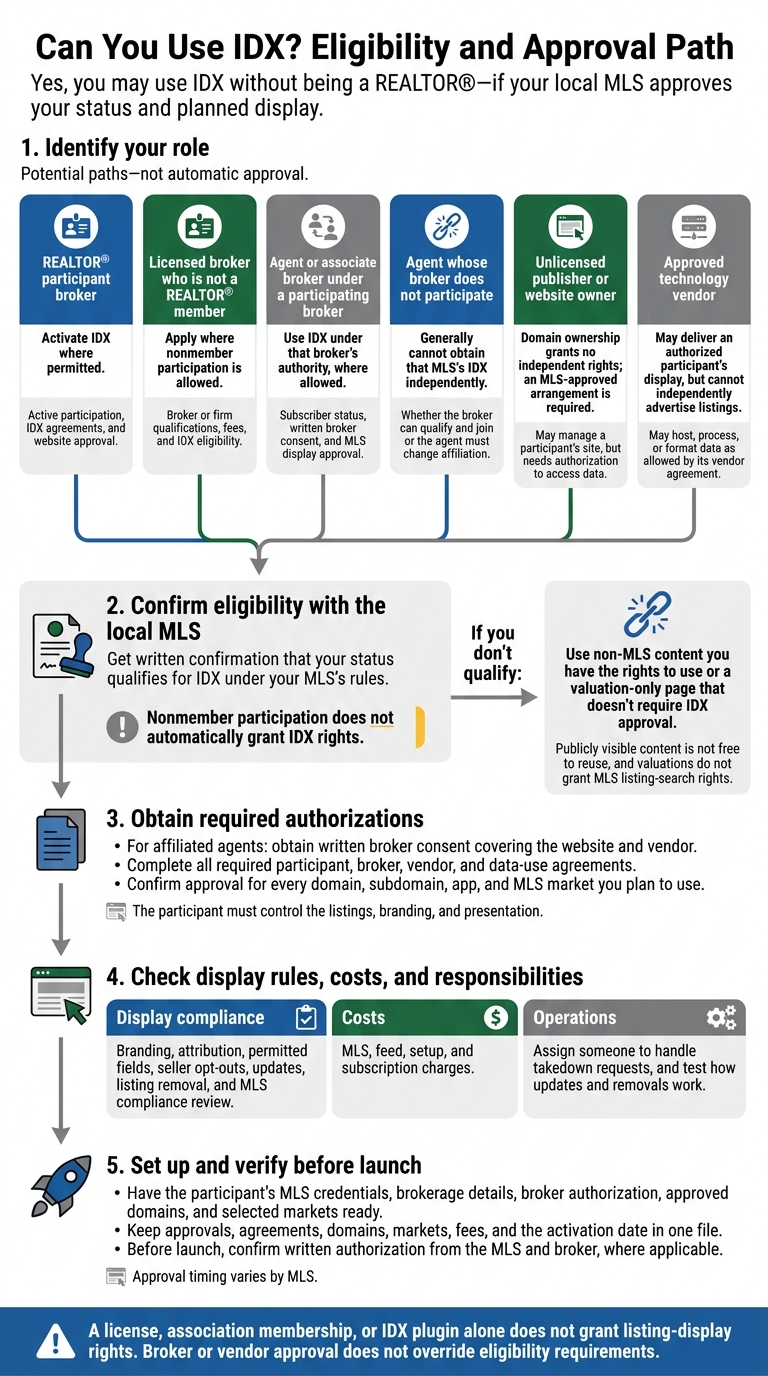
Can You Use IDX? Eligibility and Approval Path
IDX Eligibility for Licensed Nonmember Agents and Brokers
The MLS sets the rules. Next, check how those rules apply to your license and brokerage role.
Eligibility by Broker and Agent Status
Your brokerage role determines your path to IDX approval. A broker license alone does not grant IDX rights.
| Your status | Potential IDX path | What to confirm |
|---|---|---|
| REALTOR® participant broker | Activate IDX where permitted | Active participation, IDX agreements, and website approval |
| Licensed broker who is not a REALTOR® member | Apply where nonmember participation is allowed | Broker or firm qualifications, fees, and IDX eligibility |
| Agent or associate broker under a participating broker | Use IDX under that broker’s authority, where allowed | Subscriber status, written broker consent, and MLS display approval |
| Agent whose broker does not participate | Generally cannot obtain that MLS’s IDX independently | Whether the broker can qualify and join or the agent must change affiliation |
Each path depends on the MLS’s adopted rules and applicable law. Nonmember participation does not automatically grant IDX rights. Ask for written confirmation that your participation category allows the website you plan to operate.
Broker Consent and Website Supervision
For affiliated agents who are not REALTOR® members, IDX access comes through the participant broker’s authority - not website ownership. For sales licensees and non-principal brokers, written consent should identify the agent, brokerage, domain or app, IDX provider, and MLS data source. Using a personal domain or team brand does not make the site independent of the brokerage. The participant broker must retain the consent and control the MLS requires.
Broker supervision covers ads, brokerage identification, listing attribution, disclaimers, and data-use limits. These elements must align with standard MLS disclaimer requirements. State advertising rules may also require license disclosures, team names, and contact information. Agree on who will correct violations and remove the display if the affiliation ends.
Broker sponsorship cannot override MLS restrictions. Broker permission is not enough if the broker is not an eligible participant, the MLS does not allow affiliated-agent displays, or the requested use falls outside the approved IDX rights.
If you are unlicensed, operate without a qualifying broker, or provide technology services, a different authorization path applies.
IDX Rules for Unlicensed Owners and Technology Vendors
Owning a website does not give you MLS display rights. An unlicensed owner needs an MLS-approved arrangement backed by participant approval. Managing the site and having permission to display MLS data are separate matters, especially for agents who want to own their platform.
Who Can Display Listings or Provide Technical Services?
What matters is who has permission to display the data - not who owns the site.
| Role | Conditional IDX display rights | Technical-services permission |
|---|---|---|
| Unlicensed publisher or website owner | Domain ownership grants no independent rights; an MLS-approved arrangement is required. | May manage a participant’s site, but needs authorization to access data. |
| Approved technology vendor | May deliver an authorized participant’s display, but cannot independently advertise listings. | May host, process, or format data as allowed by its vendor agreement. |
When a participant’s IDX display appears on a third-party website, the participant must control the listings, branding, and presentation. Developer access must remain within the approved client, domain, and data scope.
What Vendor and Data-Use Agreements Allow
Vendor and data-use agreements set the rules for handling the feed. Check approved domains and apps, attribution requirements, MLS source credit, required notices, display limits, and removal rules. NAR’s referenced model rule requires updates at least every 12 hours, but that interval is not universal. Confirm the local MLS requirement.
Vendor approval does not give clients IDX rights. Each client may still need participant authorization and separate website approval. Technical access does not permit scraping, resale, redistribution, or sharing credentials and raw data with unapproved parties.
Public-record facts do not grant permission to use MLS photos, agent remarks, or showing instructions. Participant-only fields must stay out of public displays. Buying an IDX plugin does not replace MLS permission to display listings.
Before launch, check the exact MLS approvals, vendor permissions, and website rules that apply to your setup.
What to Confirm Before Activating IDX
Eligibility alone does not authorize a listing feed. Once you confirm that you qualify, collect the approvals needed to activate it.
MLS and Broker Approval Checklist
Get written confirmation that your status qualifies for IDX under your MLS’s rules. If you work under a broker, get written consent that covers both the website and vendor. Confirm approval for every domain, subdomain, app, and MLS market you plan to use.
Complete all required participant, broker, vendor, and data-use agreements. Before launch, also:
- Request current rules on branding, attribution, permitted fields, seller opt-outs, updates, listing removal, and the MLS’s right to review compliance.
- Get an itemized fee schedule covering MLS, feed, setup, and subscription charges.
- Assign someone to handle takedown requests, and test how updates and removals work.
Setup Requirements and Options if You Do Not Qualify
With approvals in place, you can move to technical setup. For widgets, APIs, and integrations, have the participant’s MLS credentials, brokerage details, broker authorization, approved domains, and selected markets ready. Approval timing varies by MLS.
Broker or vendor approval does not override eligibility requirements. Either arrangement is valid only where local MLS rules allow it.
If you don’t qualify, use non-MLS content you have the rights to use or a valuation-only page that doesn’t require IDX approval. Publicly visible content is not free to reuse, and valuations do not grant MLS listing-search rights.
Conclusion: Get Written Approval Before Launch
Keep approvals, agreements, domains, markets, fees, and the activation date in one file. Before launch, confirm written authorization from the MLS and broker, where applicable.
FAQs
What happens to my IDX site if I change brokerages?
When you change brokerages, update your account information in your dashboard, including your brokerage and office details. Your MLS listing access is tied to your license and brokerage affiliation. You’re responsible for keeping the information you submit for MLS access accurate and in line with MLS requirements.
If your new brokerage affiliation requires a different MLS membership, you may need to apply for access to that MLS through your dashboard.
Can I combine listings from multiple MLSs on one site?
Yes. EasyAgentIDX lets you connect multiple MLS boards to one account and manage their feeds from a single dashboard. Each website and feed must be approved before you can display live listings.
How can I verify my IDX provider’s MLS authorization?
Confirm that your MLS board has formally approved your specific website and account. In your dashboard, open the MLS Boards section to check your application’s progress and any messages about your authorization.
Once the board approves your application and your feed is active, you can publish your widgets. Then check your website to make sure live listings appear.