MLS vs. IDX vs. VOW: What Real Estate Professionals Need to Know
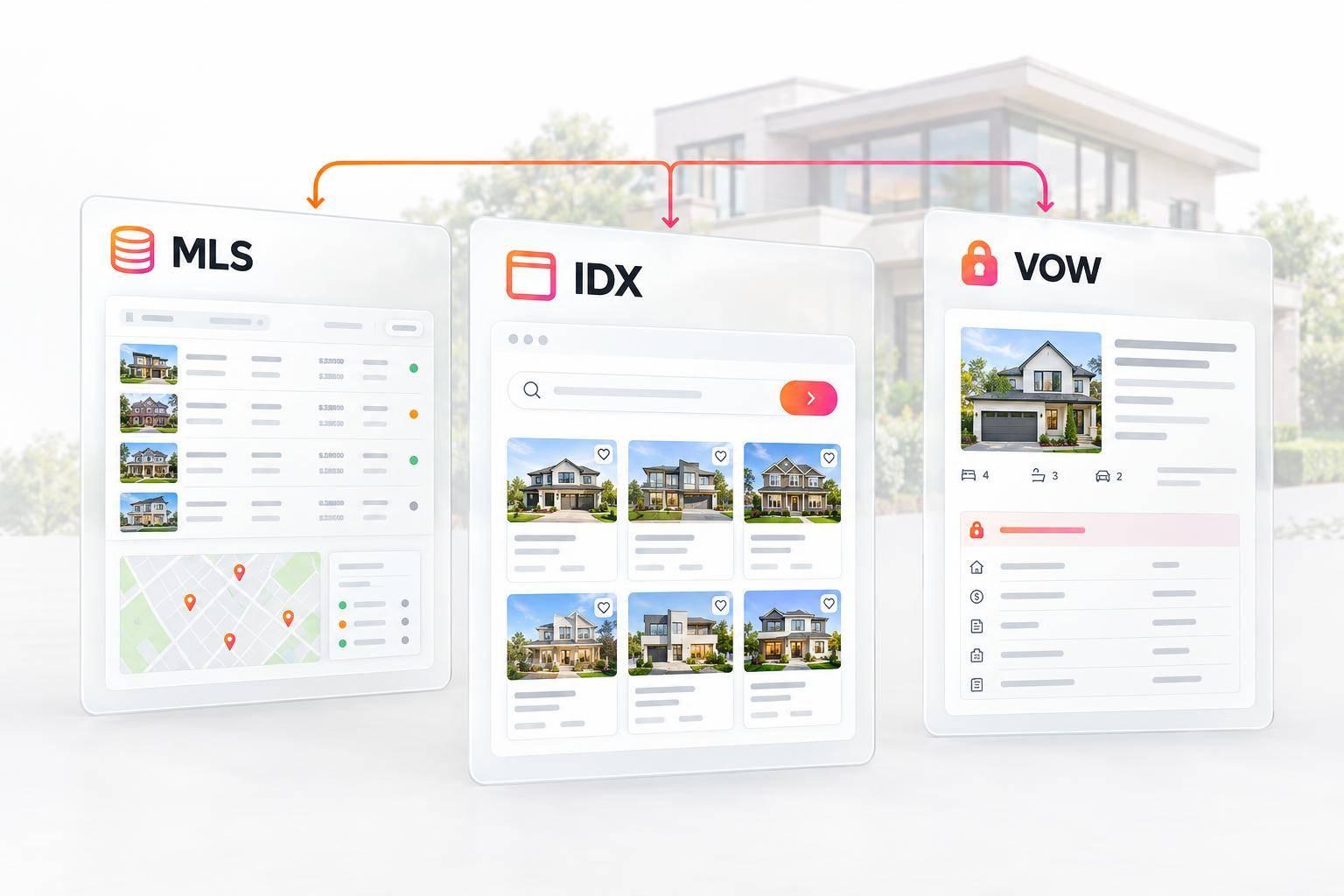
MLS vs. IDX vs. VOW: What Real Estate Professionals Need to Know
MLS is the listing network. IDX and VOW are two ways to share its data on broker websites. I’d choose based on who needs access: agents, public visitors, or registered clients - not how many website features you want.
- MLS: For approved brokers and agents to manage listings and research properties.
- IDX: For public property searches using MLS-approved display data, usually without registration.
- VOW: For registered clients with an established brokerage relationship to view more MLS data, including sold records where allowed.
Quick Comparison
| Comparison | MLS | IDX | VOW |
|---|---|---|---|
| Audience | Brokers and agents | Public visitors | Registered clients |
| Access | MLS account and authorization | Usually no account needed | Account, terms, and brokerage relationship |
| Data | Authorized MLS records, including private remarks | Public-display fields | Additional permitted records |
| Visibility | Internal tools | Public pages | Password-protected area |
| Main use | Listing management and research | Property search and inquiries | Client research and collaboration |
| Rules | MLS access rules | IDX display rules | VOW rules and access controls |
My prelaunch check: confirm MLS approval, permitted fields, required notices, and account security. For EasyAgentIDX, check that the connection says Approved, verify your live domain, and protect integration tokens. A Pending connection returns no listings.
<u>Adding a login to IDX does not make it a VOW (see how Showcase IDX and EasyAgentIDX handle these features).</u> Your MLS rules, NAR policy, and state law determine what you can display.
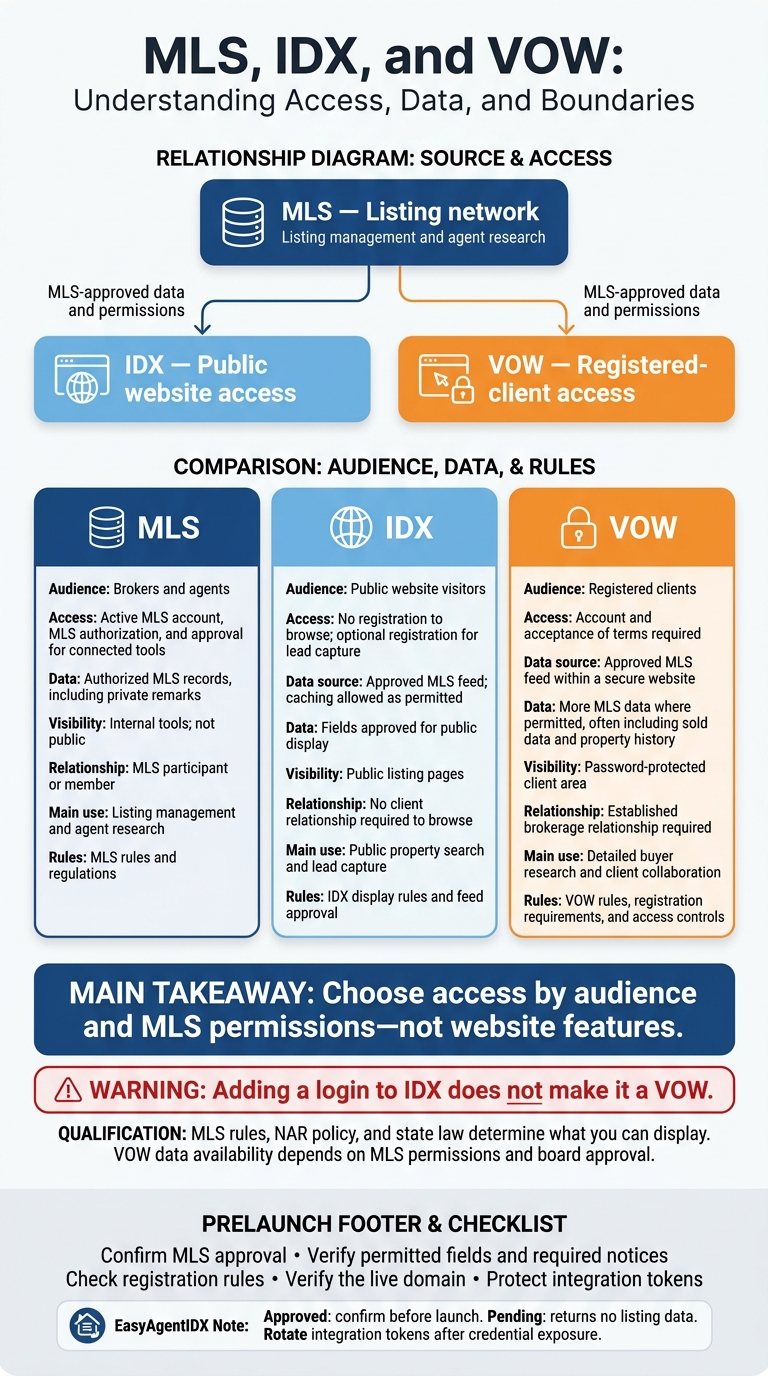
MLS vs. IDX vs. VOW: Access and Data Permissions
What MLS, IDX, and VOW Each Do
MLS: Listing Tools for Brokers and Agents
MLS access lets brokers and agents manage listings internally. They can enter listings, update statuses, search properties, and coordinate showings. Access requires an active MLS account, MLS authorization, and approval for connected tools. Brokers can then publish approved data publicly through IDX or limit access through VOW.
IDX: Public Listing Search on Broker Websites
IDX lets participating brokers display approved MLS listings on a public website. Visitors don’t need to register to browse listings, view photos and property pages, or submit inquiries. Only MLS data approved for public display can appear.
VOW: Registered Client Access to MLS Information
VOW limits access to registered clients who have established a brokerage relationship. These users can view more MLS data than IDX provides, including full details for specific properties and sold data where allowed. The data available still depends on MLS permissions and board approval. Developers can also leverage an MLS API to build custom integrations for these data types.
IDX vs VOW: Know the Difference
MLS vs. IDX vs. VOW: Comparison Table
Compare MLS, IDX, and VOW by who can access them, what data they provide, and which rules apply.
| Model | Primary audience | Data source | Registration requirement | Typical access | Website visibility | Broker relationship | Primary compliance responsibility | Best-fit client service |
|---|---|---|---|---|---|---|---|---|
| MLS | Brokers and agents | MLS system | MLS membership and login required | Authorized MLS data, including private remarks | Not public | MLS participant or member | MLS rules and regulations | Listing management and agent research |
| IDX | Public website visitors | Approved MLS feed; caching allowed as permitted | No registration to browse; optional for lead capture | Fields approved for public display | Public listing pages | No client relationship required to browse | IDX display rules and feed approval | Public property search and lead capture |
| VOW | Registered clients | Approved MLS feed within a secure website | Account and acceptance of terms required | More MLS data where permitted, often including sold data and property history | Password-protected client area | Established brokerage relationship required | VOW rules, registration requirements, and access controls | Detailed buyer research and client collaboration |
Choose and Set Up the Right Access Model
After comparing the three models, narrow your choice based on your audience, permissions, and launch requirements.
Match the Model to Your Website and Client Services
Choose the model that fits your audience and MLS permissions. MLS is the data network; IDX and VOW are access layers with different permissions.
Use MLS for internal work, IDX for public search and lead capture, and VOW for registered-client access when your MLS permits it. Adding accounts, saved searches, or registration gates to IDX does not turn it into a VOW. Your choice determines what visitors can see and what your MLS allows you to display.
Check MLS Permissions and Security Before Launch
Before launch, confirm that your MLS board connection is approved and your live domain is set correctly so property detail links work. Review MLS-required notices, field limits, and registration rules. MLS rules - not website design alone - control what IDX and VOW can display. Protect integration tokens and rotate them after any credential exposure.
In EasyAgentIDX, check that the connection shows Approved, not Pending. Pending connections return no listing data. Once you’ve confirmed the connection and compliance settings, you can configure the site for public search.
Set Up Public Search and Lead Capture With EasyAgentIDX
Embed search widgets, map search, or listing grids in your existing site for MLS-approved public IDX display. Set filters, registration prompts, and saved-search options to support your lead strategy. Verify the live domain in your settings so search results link to the correct property detail pages.
Track inquiries and saved-search activity while keeping MLS notices and display limits in place.
Conclusion: Choose Access by Audience and Data Permissions
When comparing the three models, choose access based on your audience and MLS permissions - not how much data you want to display.
Start with your audience and use case, then select the MLS-approved model. For public search, confirm that your MLS connection is Approved before launch. Pending returns no listing data.
FAQs
Can I offer both IDX and VOW on one website?
Yes, you can offer both IDX and VOW on one website. IDX lets visitors search properties publicly, helping you attract visitors and collect leads. VOW gives registered clients access to more detailed MLS data, as allowed under VOW compliance rules.
Using both can make it easy for visitors and registered clients to find the information they need. Check with your local MLS to confirm its specific implementation requirements.
What establishes a brokerage relationship for VOW access?
A brokerage relationship for Virtual Office Website (VOW) access begins when a visitor registers to confirm their identity and intent. Unlike public IDX displays, VOWs require a name and valid email address before visitors can access more detailed listing data.
Registration connects the consumer with the brokerage. This lets the broker offer personalized services and follow MLS rules for data access and client communication.
Do I need separate approvals for IDX and VOW?
Yes, you generally need separate approvals for IDX and VOW. Your local Multiple Listing Service (MLS) sets different rules and compliance requirements for each.
IDX displays listings to the public. A VOW gives registered clients password-protected access to additional data and features. Because each model comes with different broker obligations, your MLS typically requires approval for each.
Want IDX widgets for your real estate website?
Try EasyAgentIDX Free →