What Is an IDX Website? How Real Estate IDX Works
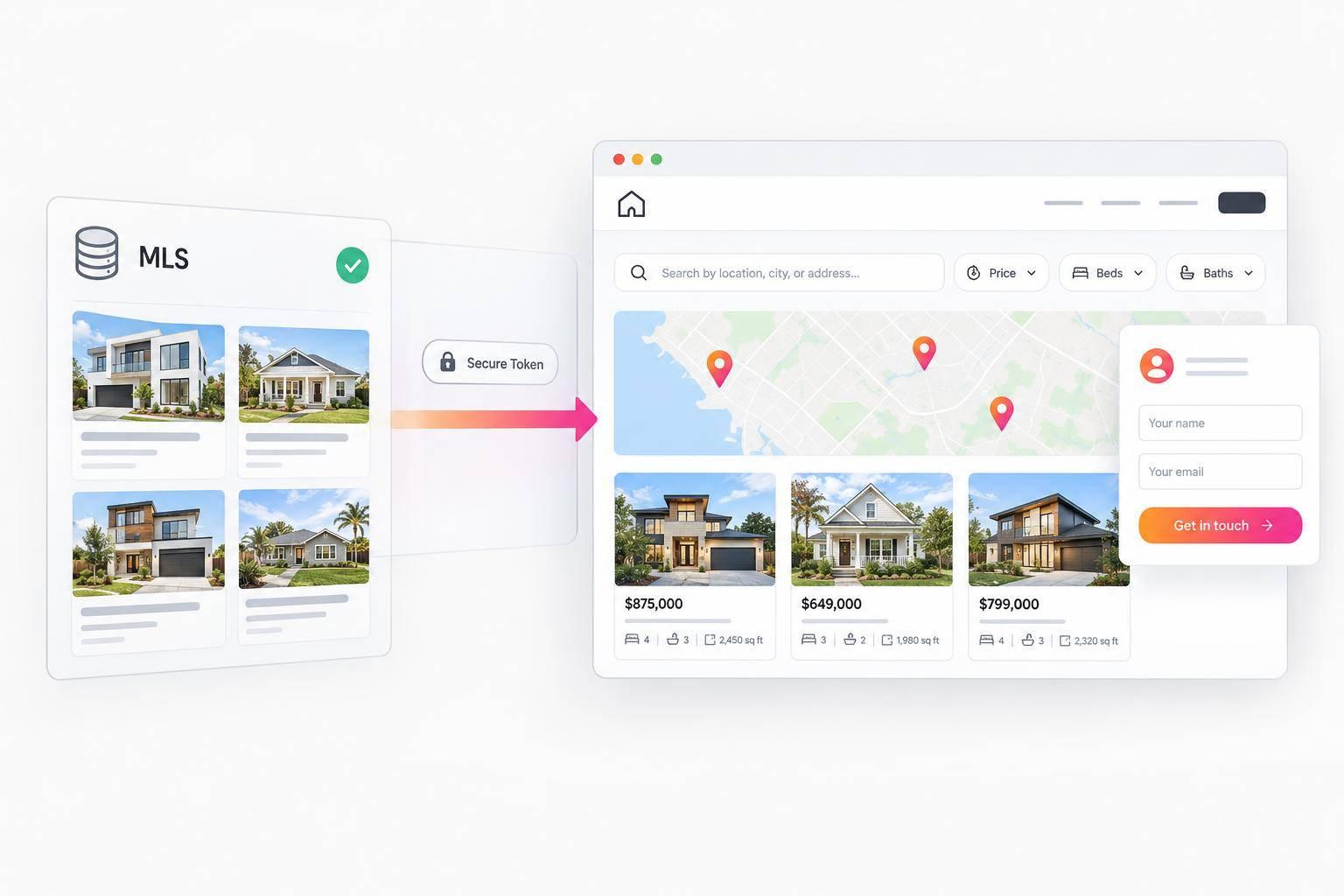
What Is an IDX Website? How Real Estate IDX Works
An IDX website lets buyers search permitted MLS listings on your site and contact you about a home. IDX stands for Internet Data Exchange. Before setup, I’d check <u>MLS approval and domain authorization</u> - adding a website URL or integration token does not replace approval.
Here’s how the parts fit together:
- The MLS supplies listings and sets display rules. Your site must follow its requirements for listing credits, public details, updates, and removals.
- An IDX provider connects the data to your site. EasyAgentIDX uses an approved connection and integration token; you can keep your existing website.
- Buyers search and reach out. They can filter for homes under $500,000 with three bedrooms, view property details, and request a showing. Saved searches and alerts depend on your setup and MLS rules.
Before going live, I’d review fees and test searches, property links, and contact forms. After launch, keep the connection active - and remember that no results can also mean no active listings match the search.
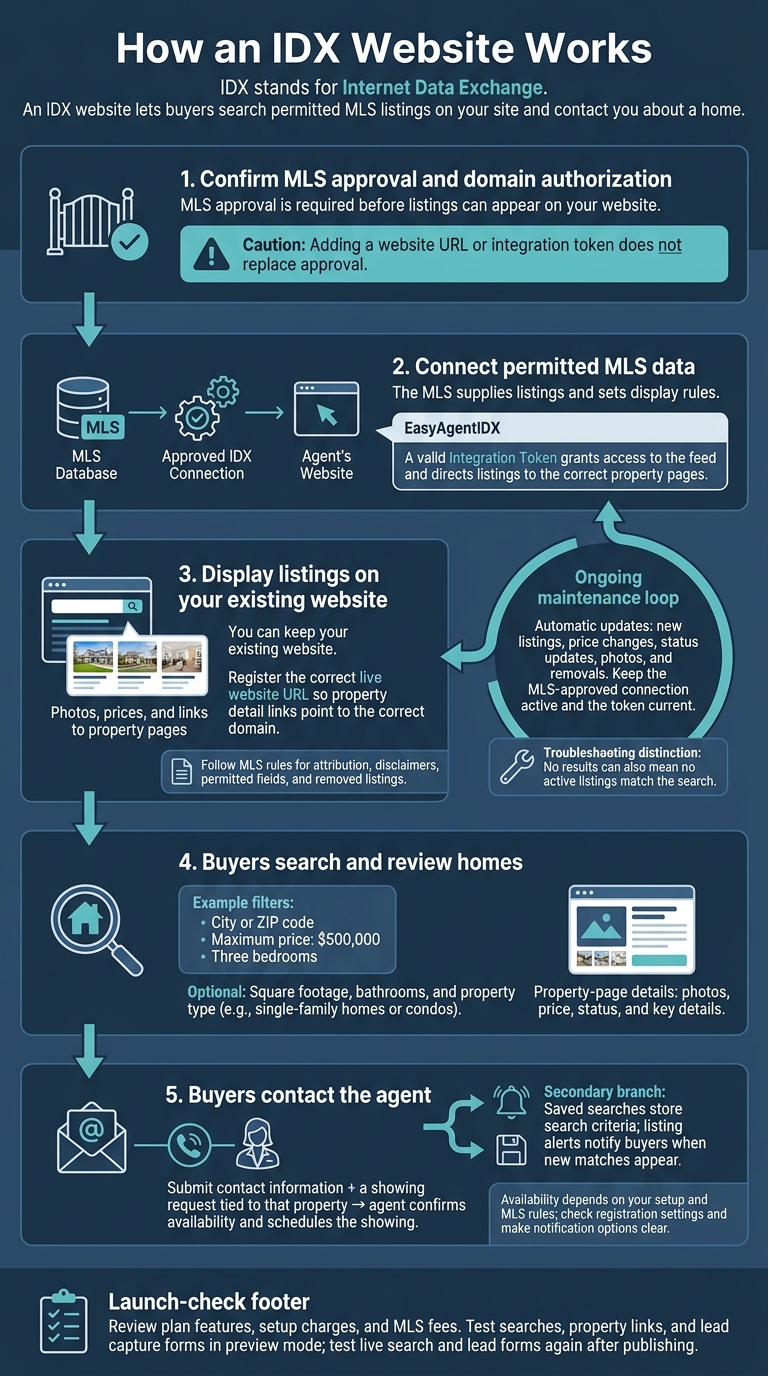
How an IDX Website Works
What is IDX? Real Estate Acronyms Explained
How MLS Listings Reach Your Website
MLS data travels through an approved connection from the MLS to the agent’s website. EasyAgentIDX automatically delivers approved MLS records to the site, where live listings power buyer searches and listing pages.
MLS Approval and Data Connections
Before a listing can appear on your website, the MLS board must approve the connection. A valid Integration Token grants access to the feed and directs listings to the correct property pages.
How Listings Are Updated and Removed
Once the site is connected, new listings, price changes, status updates, photos, and removals appear automatically. If listings stop loading, check that the MLS-approved connection is active and the token is current. These updates keep search results, property pages, and inquiry tools current for buyers.
How Buyers Find Homes and Contact an Agent
Searching by Location, Price, and Bedrooms
Once MLS data is live on the site, buyers can search listings and take the next step.
A buyer on an IDX website can enter a city or ZIP code, set a maximum price of $500,000, and choose three bedrooms. Adding square footage narrows the search further. The site returns matching MLS listings based on the buyer’s filters.
Buyers can also filter by bathrooms and property type, including single-family homes or condos. Search results show photos, prices, and links to property pages.
Viewing a Listing and Requesting a Showing
On a property page, buyers can review photos, price, status, and key details. If a home interests them, they can submit their contact information and a showing request tied to that property. The agent can then confirm availability and schedule the showing.
Using Saved Searches and Listing Alerts
Saved searches store a buyer’s search criteria. Listing alerts notify them when new matches appear, giving them a reason to return, view homes, and contact the agent.
Before turning on either feature, check MLS rules and registration settings. Make any registration requirements and notification options clear up front.
IDX Approval, Display Rules, and Setup
MLS Participation and Website Display Rules
MLS approval is required before listings can appear on your website. Before publishing, confirm that both MLS approval and domain authorization are in place.
Follow your MLS rules for attribution, disclaimers, permitted fields, and removed listings. Register your live website URL in EasyAgentIDX settings so property detail links point to the correct domain. Entering your URL does not approve the MLS connection.
Once approval and domain authorization are confirmed, the feed can point to your live site.
Who Handles IDX Requirements
After the MLS approves the feed, assign responsibility for compliance and site setup. Use this checklist to clarify who handles approval, display rules, and configuration.
| Requirement | Responsible party | Required action |
|---|---|---|
| Data access | MLS | Keep the approved board connection active. |
| Attribution | Local MLS | Display the required listing credits and disclaimers. |
| Permitted fields | MLS; IDX provider | Show only authorized public listing information. |
| Updates and removals | MLS; EasyAgentIDX | Reflect status changes and removals on the site. |
| Approved domains | MLS; agent or broker | Register the correct live URL and confirm domain approval. |
Once approval and the rule review are complete, connect the feed to your live site.
Adding EasyAgentIDX to Your Website
You can keep your existing website. EasyAgentIDX works with common website builders and custom sites.
Check that the website URL in your settings matches your live domain so property links work correctly. Then generate an integration token in your dashboard and apply it to your site. Configure your search widgets and embed the provided script.
Before publishing, review plan features, setup charges, and MLS fees. Test searches, property links, and lead capture forms in preview mode. After publishing, test the live search and lead forms again.
Conclusion: What IDX Does and Requires
IDX adds permitted MLS listings to your website through an authorized provider. Visitors can search those listings and send inquiries.
MLS approval is still required. Even a live connection may return no results if the MLS has no active listings in the area.
Keep your MLS connection approved and active so searches, property pages, and inquiry forms continue to work.
FAQs
Can I display listings from multiple MLSs?
Yes. EasyAgentIDX lets you connect to multiple approved MLS boards and combine their property data on your website. Keep each board connection active in your account so visitors can search real-time listings from multiple sources.
Each connection must be fully approved. Boards with pending approval won’t send listing data to your site.
How quickly do IDX listing updates appear?
EasyAgentIDX connects directly to your MLS listing feed in real time. Updates appear as soon as the MLS makes them available, with no manual data exports or synchronization steps.
Property searches, listing details, and inquiry forms use the latest available MLS data. Visitors get current information as they filter homes by price, location, or other criteria.
Who receives inquiries about another agent’s listing?
When a visitor sends an inquiry about an IDX listing, the lead goes to the agent or brokerage hosting the website. That’s true even if the listing comes from the MLS and belongs to another agent. The website’s agent or brokerage becomes the potential client’s primary point of contact.
Want IDX widgets for your real estate website?
Try EasyAgentIDX Free →