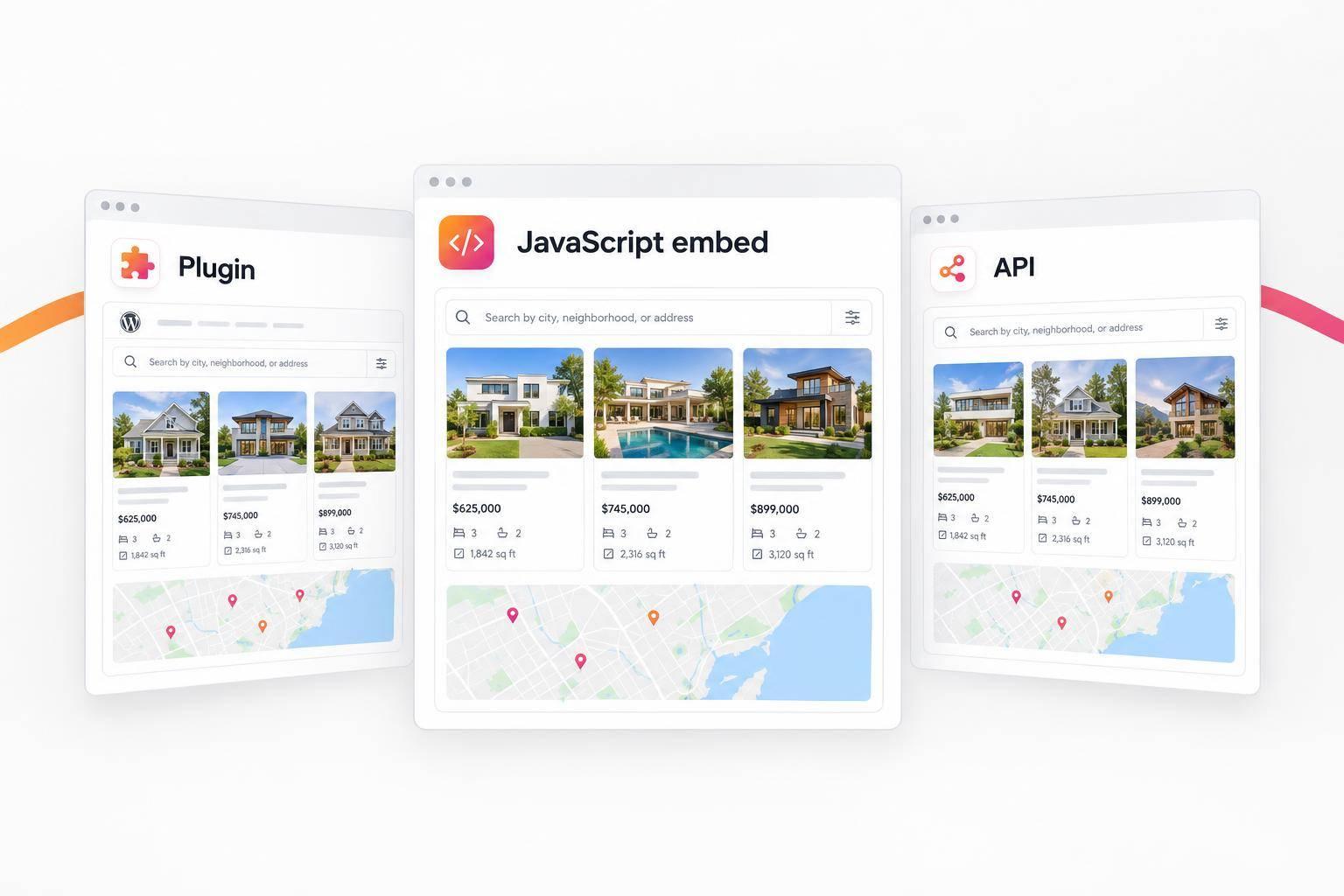
IDX for WordPress: Plugin vs. JavaScript Embed vs. API
I’d choose a plugin for WordPress-based management, a JavaScript embed for less local upkeep, or an API for custom search and listing pages. Before you pay, check MLS approval, hosting support, and the total cost - not just the monthly fee.
Here’s how I’d compare the three options:
- Plugin: Manage IDX inside WordPress. Check theme compatibility, update needs, and whether listing pages can be indexed.
- JavaScript embed: Add hosted widgets with less local maintenance, but fewer design and SEO controls. EasyAgentIDX starts at $79/month, plus a $99 setup fee per MLS board.
- Custom API: Build your own search, layouts, and listing URLs. EasyAgentIDX access starts at $129/month, with development, hosting, security, and compliance work added to your budget.
Quick Comparison
| Factor | Plugin | JavaScript embed | Custom API |
|---|---|---|---|
| Setup | Install and configure | Add a script | Build a backend integration |
| Hosting | Must support the plugin | Must allow external scripts | Must support secure key storage and server requests |
| Design and search | Plugin-dependent | Widget settings | Custom-built |
| Listing-page SEO | Depends on rendering | Less control | More control if built for it |
| Speed and upkeep | Updates, queries, and compatibility | Script, image, and map loading | Caching, data updates, and code maintenance |
| Cost | Subscription and upkeep | From $79/month plus board setup | From $129/month plus development |
<u>MLS approval applies to all three.</u> EasyAgentIDX lists a typical approval window of 3–14 business days. I’d confirm board rules and plan limits first, then test mobile search, listing accuracy, lead forms, and page speed before launch. No method handles every responsibility for you.
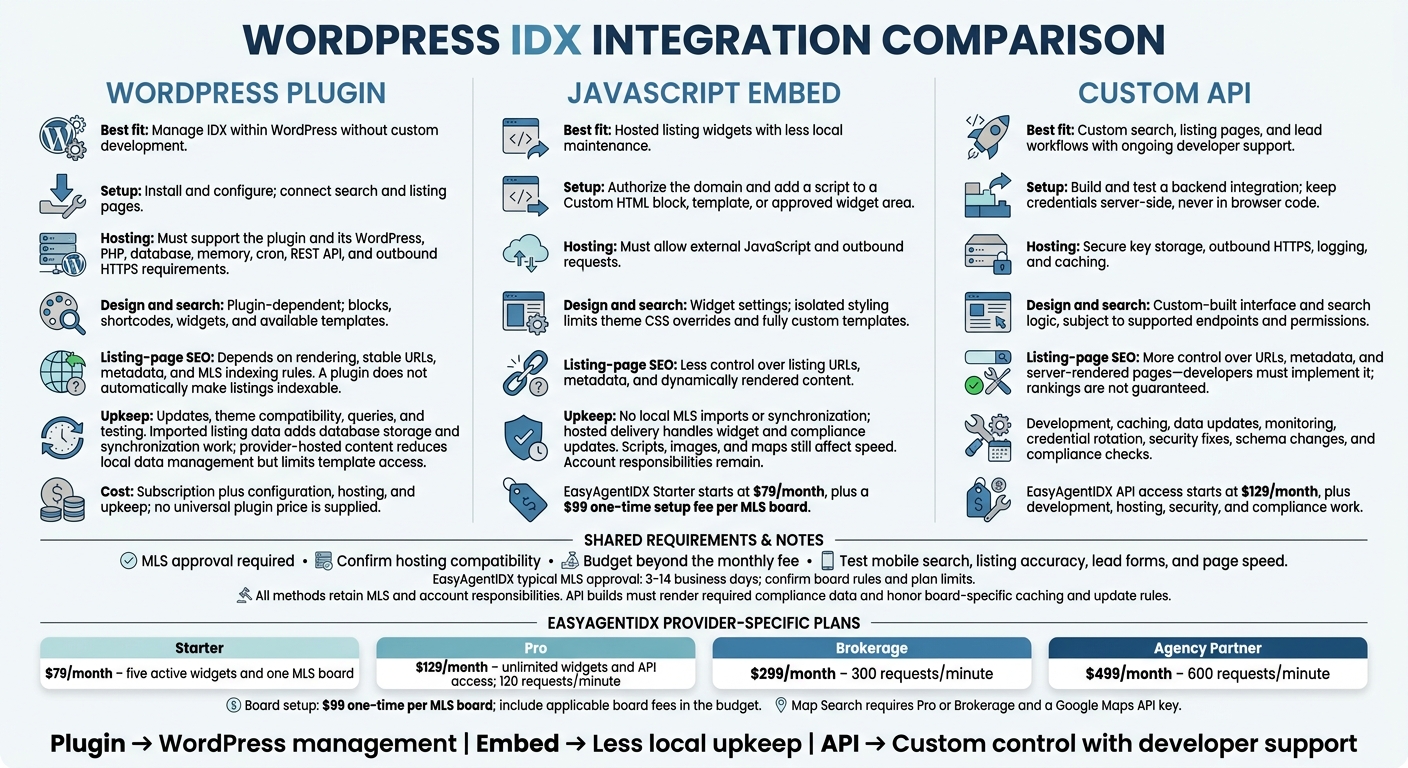
WordPress IDX: Plugin vs. JavaScript Embed vs. API
WordPress Plugin: Setup Within WordPress
Plugin Setup, Hosting, and MLS Approval
Start by confirming admin access, an active IDX account, and domain/MLS authorization. Install the plugin in WordPress, enter your account ID, API key, or token, and set up branding and attribution. Then create or connect your search and listing pages.
This option works most directly within WordPress, but MLS rules and hosting limits still affect what you can publish. Add the plugin’s features through blocks, shortcodes, or theme widgets, then test searches, listing details, and forms before publishing.
Check the hosting plan - not just WordPress support. Your plan must allow third-party plugins and meet the integration’s requirements for WordPress, PHP, databases, memory, cron, REST API access, and outbound HTTPS. Also confirm cache exclusions, security settings, backups, and staging support.
Maps may require a Google Cloud project, billing, enabled Maps APIs, and a restricted API key. Ask your provider and MLS about required broker signatures, disclaimers, logos, data update intervals, and listing-removal rules.
Plugin Design, Search, SEO, and Speed
Some plugins display provider-hosted listings. Others import listing data into WordPress. The difference affects both control and upkeep.
Hosted content reduces local storage and data synchronization work, but limits access to templates. Imported data lets you use native WordPress templates and custom fields, at the cost of larger databases, scheduled updates, and checks for outdated listings. More control means more maintenance.
Before choosing a plan, check support for price and bedroom filters, maps, listing details, saved searches, alerts, and lead forms. Walk through the full buyer journey before committing.
Installing a plugin doesn’t automatically make listings indexable by search engines. Check rendered HTML, stable URLs, metadata, canonical tags, sitemap controls, and MLS indexing restrictions. Imported data gives you more control, but can produce thin or duplicate pages. Whether search engines can crawl hosted content depends on how it renders.
Test mobile search, maps, pagination, and listing pages. External scripts can slow hosted displays, while database queries and synchronization can put extra load on sites that import listings. Follow cache exclusions for dynamic results and signed-in features.
Plugin Costs, Updates, and Best Fit
Budget for more than the subscription. Include MLS setup or board fees, hosting, premium features, Maps usage, configuration, backups, and support.
Test WordPress, theme, PHP, and plugin updates in staging before applying them to your live site. Afterward, check that listing data is current, forms and alerts work, and the site still meets compliance rules.
A plugin suits teams that want to manage listings within WordPress without custom development. Choose imported data only when the added template control is worth the extra upkeep.
For less local upkeep, the JavaScript embed is the next option.
JavaScript Embed: Less Local Maintenance
Embed Setup and WordPress Script Support
Hosted widgets mean less local data to manage. Generate the widget script in the dashboard, authorize your domain, and paste the code into a Custom HTML block, template, or approved widget area. Your hosting environment must allow external JavaScript and outbound requests.
MLS approval is still required before live listings appear, but you can build the page shell while you wait. With no local data management to set up, embeds are easier to launch than plugins that require it.
Widget Design, Search, and SEO Limits
EasyAgentIDX’s visual builder lets you set brand colors and mobile-friendly layouts. Widgets use isolated styling to help prevent theme conflicts, but that also means your theme’s CSS won’t fully override their styles.
Available widgets include property search, map search, listing grids, valuation tools, and affordability calculators. Map Search requires a Pro or Brokerage plan and a Google Maps API key. These controls work for branded search pages, but they don’t support fully custom listing templates.
Listings render dynamically on your domain. Compared with an API, embeds offer less control over listing URLs and metadata. That limits how much you can optimize individual listing pages for search engines.
Embed Speed, Costs, and Best Fit
Listings stay on hosted infrastructure, so WordPress doesn’t have to handle MLS imports or syncing. Hosted delivery also handles widget and compliance updates automatically. Still, scripts, listing images, and map requests can affect page speed. If the service stops, the widgets stop rendering.
Starter costs $79/month for five active widgets and one MLS board. Pro costs $129/month and includes unlimited widgets and API access. There’s also a $99 one-time setup fee per MLS board.
An embed fits an existing website when you want live search with less upkeep and can work with moderate design control. Custom URLs, templates, and search logic call for the API.
Custom API: Build Your Own Listing Experience
API Development and Hosting Requirements
The API route gives teams full control over listing structure and search logic. Access starts at Pro and requires an approved domain and an active MLS feed. MLS approval typically takes 3–14 business days. Each API key is tied to one site ID and one MLS board. Store it in server environment variables - never in browser code. Start with /platform/capabilities to check supported endpoints and permissions.
For WordPress, the work happens in your backend. Send authenticated requests through server-side PHP or another backend layer. Your hosting must support outbound HTTPS requests, secure secret storage, logging, and caching. EasyAgentIDX also offers an OpenAPI 3.1 spec and a Next.js starter for separate front ends.
Custom Search, SEO, and Speed
Once listing data reaches WordPress, you choose how much of the experience to build. Map normalized snake_case fields - MLS number, status, address, price, beds, baths, square footage, photos, and coordinates - to branded cards and detail pages. Add filters, saved searches, and lead routing only where the endpoints support them. Server-rendered or WordPress-native pages give you better control over URLs and metadata for SEO, but your developers must build those features.
You also control how listings are cached, updated, and served. Keep query frequency within board limits; Pro allows 120 requests/minute. Before caching, read max_ttl_seconds from GET /api/v1/platform/compliance. Hide records when their display rights end.
API Costs, Compliance, and Best Fit
This level of control comes with the most maintenance. Budget for development, hosting, monitoring, credential rotation, security fixes, schema changes, and compliance checks. Brokerage supports 300 requests/minute at $299/month, while Agency Partner supports 600 requests/minute at $499/month. URL versioning helps you manage breaking changes, but developers still need to test and maintain the integration.
API access still requires approved domains, attribution, logos, disclaimers, and board-specific update rules. Render each listing’s complete compliance object rather than guessing attribution from other fields.
An API suits a brokerage that needs custom search and office-specific lead routing - and has developer support to maintain that control over time.
Conclusion: Choose the Right IDX Method
Match Your Budget, Skills, and Website Needs
Choose a plugin for familiar WordPress workflows, an embed for less local maintenance, or an API when custom design and listing-page SEO warrant continued developer costs.
Before launch, test search, lead collection, and page speed. Launch timing usually depends more on MLS approval and hosting readiness than on the integration method.
Choose an EasyAgentIDX Integration
For EasyAgentIDX, match your plan to your chosen method. EasyAgentIDX’s widgets and single-script embed suit straightforward deployments. The Developer API supports custom builds. Budget for both the plan fee and board setup fee before launch.
Use this table to compare the three options.
| Decision point | Plugin | JavaScript embed | Custom API |
|---|---|---|---|
| Initial effort | Install and configure in WordPress | Insert one script tag | Develop and test custom integrations |
| Hosting | Plugin-compatible WordPress hosting | A WordPress site that allows custom scripts | Backend with secure key storage |
| MLS approval | Required | Required | Required |
| Search and design control | Plugin settings and theme/CSS options | Widget settings in an isolated runtime | Full control over the interface |
| SEO control for listing pages | Moderate; often creates local pages | Limited control over rendered listing content | Full ownership of pages and metadata |
| Speed duties | Plugin/theme compatibility | Widget loading | Caching and delivery |
| Recurring and development costs | Subscription plus configuration and upkeep | Monthly subscription with minimal local development | Monthly subscription plus development and hosting |
| Compliance and upkeep | Keep the plugin updated and verify required displays | Disclaimers are injected automatically, but account responsibilities remain | Maintain code and render required compliance data |
| Recommended use case | Familiar CMS-based deployment | Low-maintenance listing widgets | Custom search, pages, and lead workflows |
Before you buy, confirm MLS approval, hosting compatibility, and total cost. Before launch, verify those details along with the plan’s features and limits.
FAQs
Can I switch IDX methods without rebuilding my site?
Yes. EasyAgentIDX’s isolated, platform-agnostic widget runtime keeps your IDX integration separate from your WordPress site structure. You can switch from JavaScript embed widgets to a custom API integration, or use both on the same approved website, without moving to another platform or replacing your site. Your existing layout and theme stay in place as you upgrade property search to meet changing technical needs.
How can I check whether Google indexes my listings?
Connect your website to Google Search Console to check which listing pages Google has indexed. Track clicks, impressions, and average search position to see which listing collections or individual pages perform best in organic search.
Can I display listings from multiple MLS boards?
Yes. Each account includes one MLS board connection. You can add more connections for an extra monthly fee. Each requires its own application and approval, which typically takes 3 to 14 business days.
After approval, you can set up your widgets or API integrations to display listings from your connected boards.