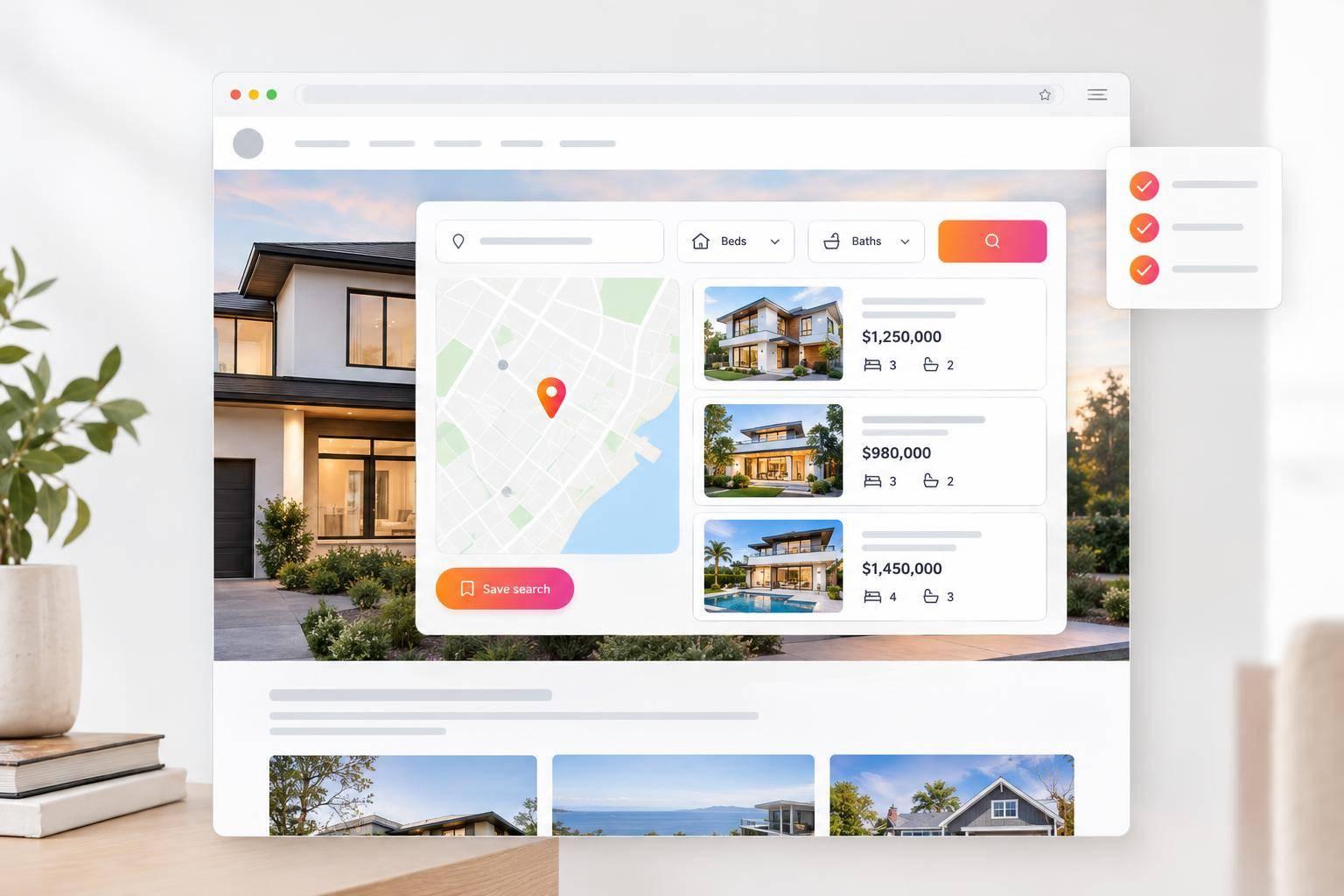
IDX for Squarespace: Add MLS Search Without Rebuilding Your Website
You can add MLS search to your Squarespace site without rebuilding it. I’d start by comparing IDX alternatives and checking two things: your plan supports JavaScript embeds, and EasyAgentIDX shows at least one approved MLS board. Paying for setup does not mean MLS approval.
Starter costs $79/month for 5 active widgets; Pro costs $129/month for unlimited embed widgets. Budget for the $99 initial board setup fee, plus any additional board or MLS fees.
Here’s the setup path I’d follow:
- Choose your widgets: search, maps, listing displays, listing counts, or a payment calculator. You can also add automated home valuation tools to capture seller leads. Map Search needs a Google Maps API key.
- Set them up: choose filters, match your site’s colors, set your live domain, and enable lead tools if your plan includes them.
- Embed and test: paste the generated code into a Squarespace Code block, then check listings, filters, links, and forms on desktop and mobile.
- Check MLS rules: verify required attribution and disclosures, fix display errors, and retest after site or MLS changes.
My launch rule: <u>check the published page, not just the editor preview</u>.
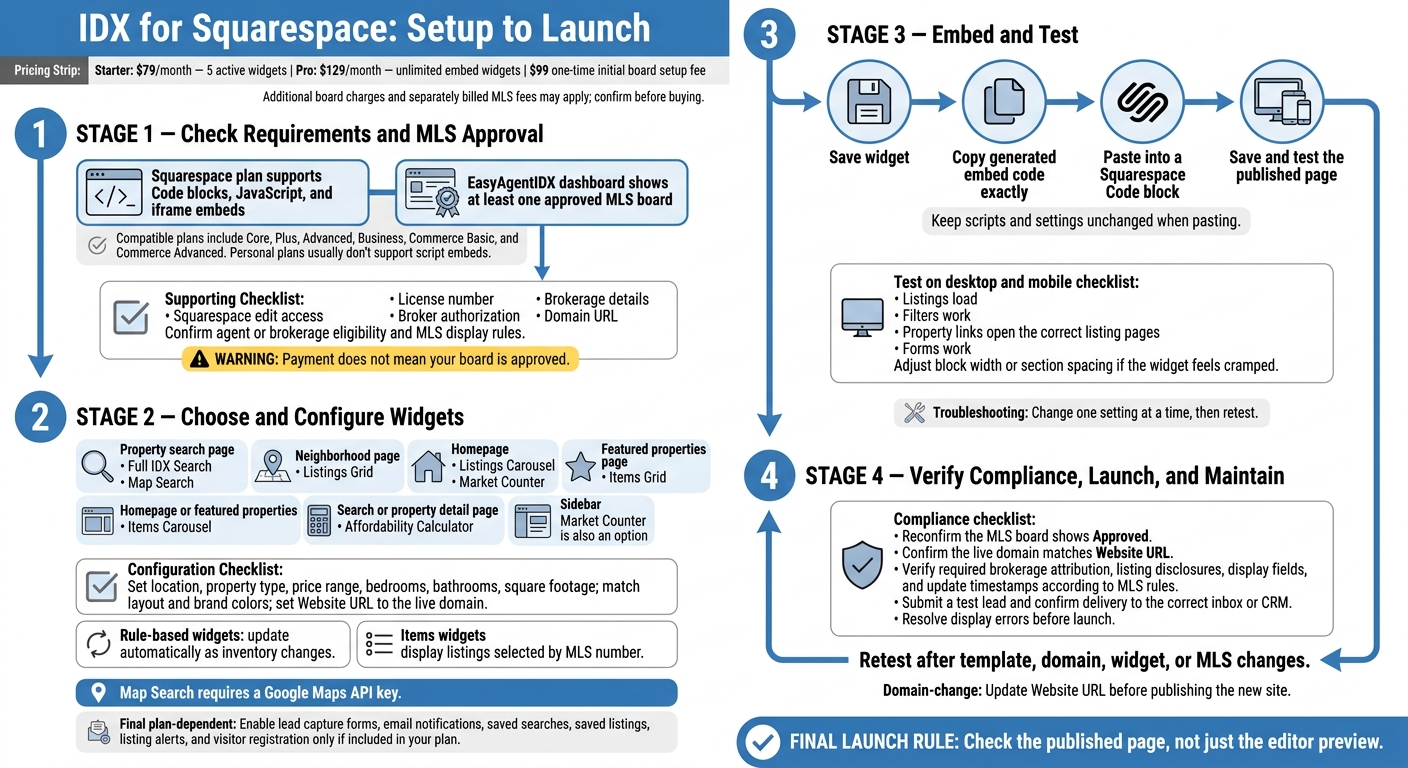
IDX for Squarespace: Setup to Launch
1. Check Squarespace Requirements and MLS Approval
Before adding MLS search to Squarespace, check your site’s embed support and your MLS board’s approval status. You’ll also need Squarespace edit access, the required license and brokerage details, and an active EasyAgentIDX account.
Check Your Squarespace Plan for Embed Support
Your plan must support Code blocks, JavaScript, and iframe embeds. Compatible plans include Core, Plus, Advanced, Business, Commerce Basic, and Commerce Advanced. Personal plans usually don’t support script embeds.
Make sure you can edit the page where you want the search to appear and add a Code block.
Get MLS Approval and Confirm Costs
Have your license number, brokerage details, broker authorization, and domain URL ready for MLS approval. Check the agent or brokerage eligibility requirements, then review MLS rules for attribution, disclaimers, and required display fields. Verify your board’s status in the EasyAgentIDX dashboard.
Before buying, confirm the EasyAgentIDX subscription price, the standard $99 one-time initial board setup fee, charges for additional boards, and any fees your MLS bills separately. Payment does not mean your board is approved.
After confirming Squarespace embed access and MLS approval, choose the widgets you want on each page.
2. Choose and Set Up EasyAgentIDX Widgets
Choose widgets that fit your existing Squarespace pages. You don’t need to redesign your layout around them.
Starter includes 5 active widgets for $79/month. Pro includes unlimited embed widgets for $129/month.
Choose Widgets for Each Squarespace Page
| Widget type | Best page placement | Primary function |
|---|---|---|
| Full IDX Search | Property search page | Search MLS listings by location, price, beds, baths, and square footage. |
| Map Search | Property search page | Browse listings with map pins that match the results. |
| Listings Grid | Neighborhood page | Show listings filtered by location or property type. |
| Listings Carousel | Homepage | Display clickable listing photos, prices, and direct links. |
| Items Grid | Featured properties page | Display specific listings selected by MLS number. |
| Items Carousel | Homepage or featured properties section | Rotate through listings selected by MLS number. |
| Market Counter | Homepage or sidebar | Show real-time active-listing counts. |
| Affordability Calculator | Search or property detail page | Estimate payments and show a payment breakdown. |
Use rule-based widgets for active inventory. They update automatically as listings change. For featured properties, use Items widgets to select listings by MLS number and control which properties appear.
Choose Map Search only if you want a map-first search experience. It supports pins, clusters, draw-to-search, and listing updates as visitors move the map. Map Search requires a Google Maps API key.
After choosing a widget for each page, set its filters, branding, and lead options in the dashboard.
Set Search Filters, Branding, and Lead Options
Set filters. Configure each widget’s location, property type, price range, bedrooms, bathrooms, and square footage. Keep your main search page broad, but use focused filters on neighborhood pages.
Format prices as $450,000 and square footage as 1,800 sq ft.
Match your branding. Use the visual builder to adjust the layout and brand colors. Then preview the widget within your Squarespace page. Set Website URL to your live domain so property detail deep-links work correctly.
Configure lead options. Turn on lead capture forms and email notifications only if your plan includes them. The same applies to saved searches, saved listings, listing alerts, and visitor registration.
3. Embed Widgets and Fix Display Issues
Add Widget Code to a Squarespace Code Block
Once your widget is configured, add it to the Squarespace page where you want MLS search to appear.
- Check your plan. Confirm it supports the widget features you want to use.
- Copy the embed code. Save the widget, then copy the code exactly as generated.
- Add a Code block. Open the Squarespace page, insert a Code block, and paste the EasyAgentIDX embed code. Leave the script and settings unchanged.
- Save and test the live page. Check it on desktop and mobile. Make sure listings load, filters work, and property links open the correct listing pages. If the widget feels cramped, widen the Code block or add section spacing.
If the published widget doesn’t display correctly, use the fixes below.
Troubleshoot Widget and Display Problems
| Symptom | Cause | Fix |
|---|---|---|
| Blank widget or authentication error | The MLS board is still pending, or the integration token has been rotated or is invalid. | Confirm an approved MLS board is active. If needed, generate a new token in Settings → Integrations and update the embed code. |
| Clipped results | The Code block or surrounding section is too short. | Increase the Code block height or section padding, then retest. |
| No matching results | Filters are too restrictive, or your plan doesn’t include the feature. | Broaden the filters and check that your plan includes the widget function you’re using. |
| Mobile overflow | The widget doesn’t have enough horizontal space. | Widen the block or section, then retest on a phone. |
| Listing links open the wrong page | The Website URL in EasyAgentIDX doesn’t match your live domain. | Update the Website URL so property detail links point to the correct site. |
Change one setting at a time, and retest after each update. If the problem continues, contact support with the error details.
4. Check Compliance, Launch, and Maintain MLS Search
Check MLS Compliance and Search Functions
Once the widgets are live, run a final compliance check before publishing. Confirm that the board still shows Approved and that the live domain matches the Website URL. Check your MLS rules for brokerage attribution, listing disclosures, and required update timestamps on search results and property pages.
Submit a test lead, then confirm it reaches the right inbox or CRM.
Retest Widgets After Site Changes
Repeat these checks after any template, domain, widget, or MLS change. Make sure embeds load, disclosures stay visible, and search and lead forms work. If you switch domains, update the Website URL in EasyAgentIDX before publishing the new site.
FAQs
How long does MLS approval take?
MLS approval times vary by local MLS board. EasyAgentIDX requires an active connection to your board, but its documentation does not give a universal approval timeframe.
Contact your local MLS board for current processing times for third-party data integration requests. The timeline depends on the board’s internal administrative procedures - not the software platform.
Can IDX listings improve my Squarespace site's SEO?
Yes, integrating EasyAgentIDX can help your Squarespace site's SEO by adding a dynamic, searchable feed of MLS listings to your pages. This relevant content gives visitors a reason to spend more time browsing properties.
Real-time property details and interactive search results keep your pages up to date and useful for local real estate buyers. That content can help search engines understand your site's relevance, though longer visits alone don't guarantee better rankings.
Can I combine multiple MLS boards in one search?
Yes, as long as each MLS board connection is approved and has active listings in EasyAgentIDX. Only approved boards return results. Boards awaiting approval won’t provide listing data.