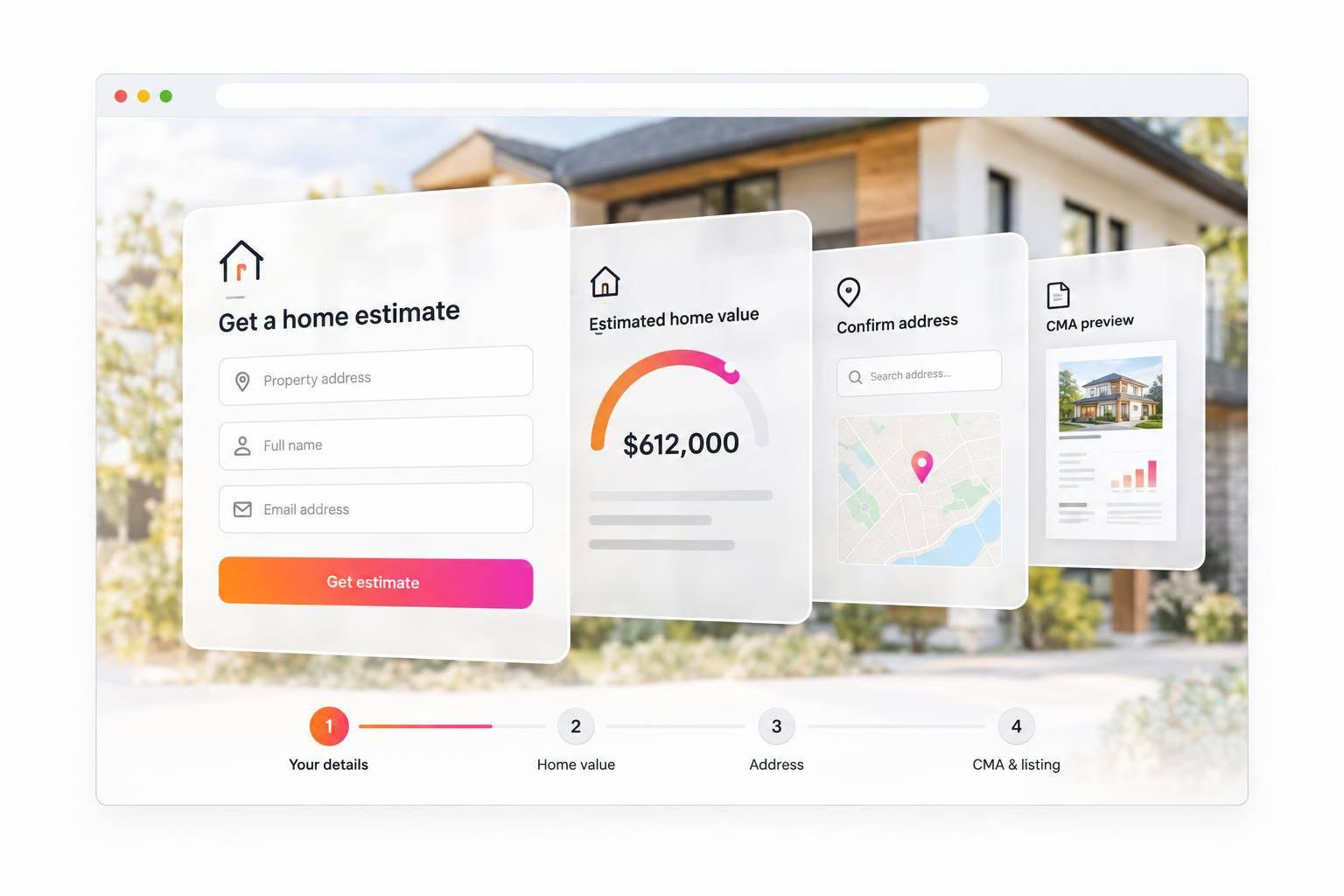
Home Valuation Widgets for Real Estate Agents: How to Capture Seller Leads
I’d use a home valuation widget to start a pricing conversation - not set a listing price. Before launch, test the form, emailed report, and lead alert. Then give homeowners a clear option to request an agent-prepared comparative market analysis (CMA).
EasyAgentIDX plans start at $29 per month for 100 valuation credits, with coverage across all 50 U.S. states. Here’s what I’d check:
- Setup: Confirm local property coverage, branding, and desktop and mobile performance.
- Lead form: Ask for the address first, then name and email. Keep phone numbers optional and marketing consent separate.
- Estimate: Explain the confidence range and state that it’s not a formal appraisal.
- Follow-up: Offer a CMA that accounts for condition, upgrades, and local sales.
- Results: Track completed requests, CMA interest, and listing conversations - not just visits.
My launch rule: <u>test the entire path before sending traffic</u>, from the first address entry to the next conversation.
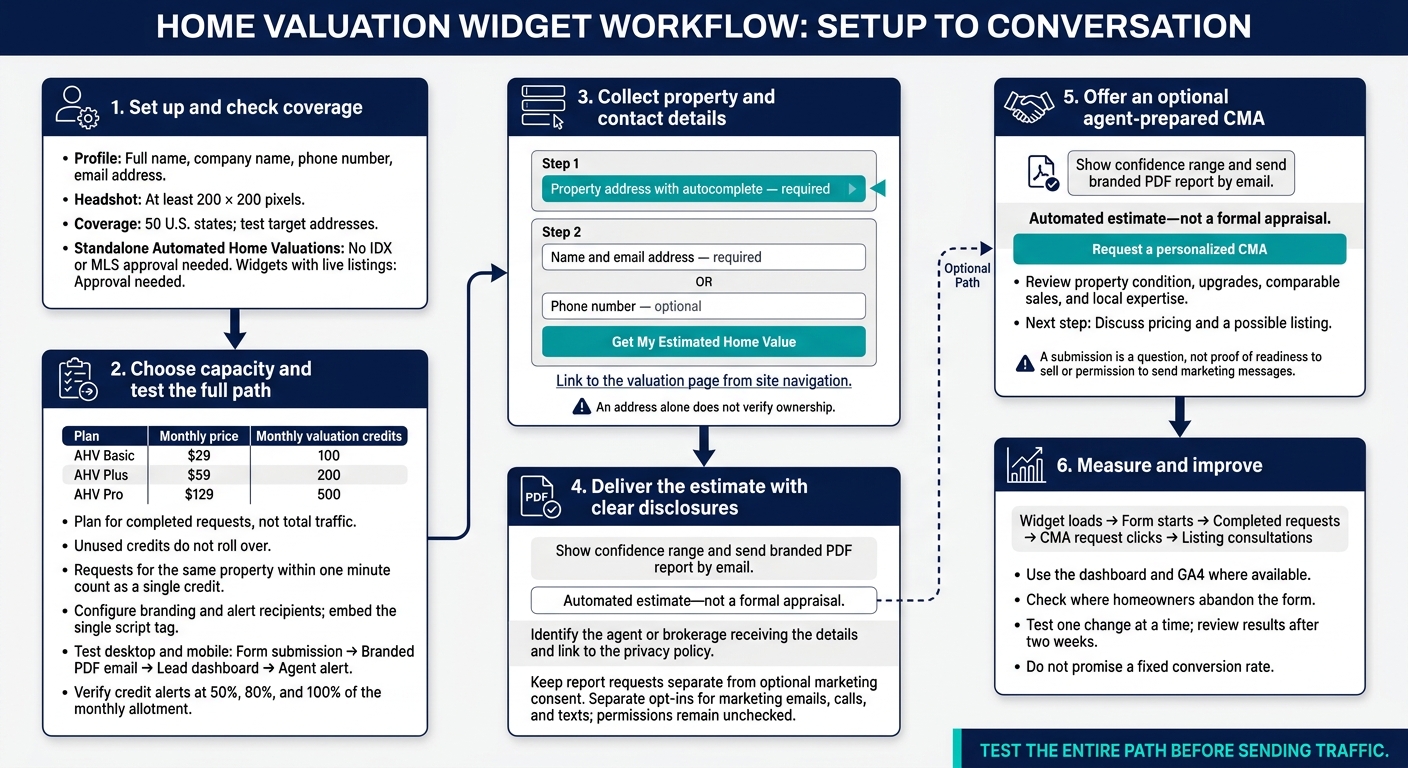
Home Valuation Widget: From Setup to Seller Conversation
Set Up EasyAgentIDX Automated Home Valuations
Go to Settings > Profile and add your full name, company name, phone number, email address, and a headshot that’s at least 200 × 200 pixels. Standalone Automated Home Valuations don’t need IDX or MLS approval. Widgets with live listings do.
Check Property Coverage and Widget Features
With your profile ready, check that the widget works in your target market. EasyAgentIDX covers all 50 U.S. states and uses address autocomplete to verify addresses. Test your target addresses and confirm that the widget collects contact details before showing a valuation. Check your branding and how the form works on desktop and mobile, too.
Before launch, check AI estimates, confidence ranges, branded PDF email reports, real-time alerts, usage tracking, and duplicate prevention. Requests for the same property within one minute count as a single credit.
Choose a Plan and Test Report Delivery
Choose a plan based on expected completed requests, not total traffic. Unused credits don’t roll over.
| Plan | Monthly price | Monthly valuation credits |
|---|---|---|
| AHV Basic | $29 | 100 |
| AHV Plus | $59 | 200 |
| AHV Pro | $129 | 500 |
Set up your branding and alert recipients, then embed the single script tag for your widget. Run a live test from start to finish on desktop and mobile, using an inbox you control. Confirm that the PDF arrives with the right branding, the lead appears in your dashboard, and credit alerts work at 50%, 80%, and 100% of your monthly allotment.
Collect Property and Contact Details
Once you’ve tested report delivery, focus on the form and its placement to turn valuation traffic into seller leads. Each field should help move the homeowner from a quick estimate toward a listing conversation.
Ask for the property address first. Then explain what the estimate includes before requesting contact details. An address alone does not verify ownership.
Build a 2-Step Lead Form
For step 1, use:
“Enter your property address to receive an estimated value”
Before step 2, explain that visitors will get an instant estimate, a confidence range, and a PDF report by email. Then ask where to send it.
| Step | Field | Required? |
|---|---|---|
| 1 | Property address with autocomplete | Yes |
| 2 | Name | Yes |
| 2 | Email address | Yes |
| 2 | Phone number | No |
If you collect phone numbers, provide separate opt-ins for marketing emails, calls, and texts. Leave permissions unchecked, and don’t make marketing consent part of the report request.
Place the Widget Where Homeowners Look for Pricing Help
Link to a dedicated valuation page from your navigation. Use a low-pressure CTA:
“Get My Estimated Home Value.”
On local market pages, use:
“Track this market”
On pages where visitors browse homes, use:
“See similar homes”
Explain Report Delivery and Privacy Before Submission
Beside the submit button, identify the required fields and state that the report will arrive by email. Make it clear that the result is an automated estimate, not a formal appraisal. Offer a personalized CMA for homeowners who want a closer review.
Link to your privacy policy and name the agent or brokerage that will receive the details. Keep the report request separate from optional marketing follow-up.
Explain Automated Estimates vs. Agent-Prepared CMAs
Automated valuations use MLS sales data and comparable sales to produce an estimate in seconds. Accuracy depends on local data coverage and how recent those comparable sales are. MLS records may not reflect renovations or defects.
The confidence range helps show that the estimate is a guide, not a final price. Use it to shift a quick valuation request into a conversation about pricing.
| Feature | Automated estimate | Agent-prepared CMA |
|---|---|---|
| Speed | Generated in seconds | Requires manual review; hours or days |
| Data inputs | MLS sales data and algorithms | MLS data, property condition, upgrades, and local expertise |
| Personalization | Limited to available data | Tailored to the home’s specific features |
| Intended use | Lead capture and initial curiosity | Final listing price and professional strategy |
| Next steps | Request a CMA | Discuss pricing and a possible listing |
Offer an agent-prepared CMA as the next step. Review the home’s condition, upgrades, and comparable sales, then add local judgment before discussing pricing and a possible listing.
Plan Follow-Up and Check Launch Readiness
After delivering the estimate, give the homeowner a clear next step. Treat each submission as a question, not proof that they’re ready to sell or permission to send marketing messages.
Send the Report and Offer a Personalized CMA
Test both delivery paths to confirm that each lead reaches the right agent. Make sure the submitted property and contact details appear correctly in both the report and the lead dashboard.
Below the results, offer a personalized CMA or consultation link for homeowners who want more help. Keep report delivery separate from optional marketing consent so homeowners can choose whether to continue the conversation.
Measure Requests, CMA Interest, and Listing Conversations
Once the workflow is live, track how often valuation requests lead to CMA interest. Use the dashboard and GA4, where available, to measure widget loads, form starts, completed requests, and CMA request clicks.
Check where homeowners leave the form without finishing, and record which CMA requests lead to listing consultations. Test one change at a time and review the results after two weeks. Don’t promise a fixed conversion rate.
Conclusion: Check the Workflow Before Launch
Run a test submission before launch. Check the setup, required fields, placement, disclosures, privacy wording, consent fields, report delivery, and lead alerts. Then verify the path from an estimate request to a personalized CMA offer or listing consultation.
FAQs
How can I tell which valuation leads are ready to sell?
Track engagement with your branded valuation report and follow-up offers in your analytics dashboard. Leads who respond to an offer for a personalized comparative market analysis show higher intent.
Use your CRM integrations to prioritize these active prospects. Moving from an automated estimate to a direct conversation with you is a strong sign they may be ready to list.
What should I say if a homeowner disputes the estimate?
The automated valuation model (AVM) estimates your home’s value using recent market data and comparable sales. It’s not a professional appraisal. The displayed confidence range reflects differences in local market activity.
For a more accurate, manual assessment, we can prepare a personalized comparative market analysis (CMA) that considers your home’s features, upgrades, and condition. It’s a starting point for discussing your property’s market value - and the details an automated estimate may miss.
How can I follow up without being pushy?
Lead with help, not a request for a listing. Start with the branded PDF report the homeowner requested, then offer a free, personalized comparative market analysis.
Invite them to talk about what sets their property apart or trends in the local market. Walk them through their automated estimate so the conversation feels like a helpful consultation - not a sales pitch.