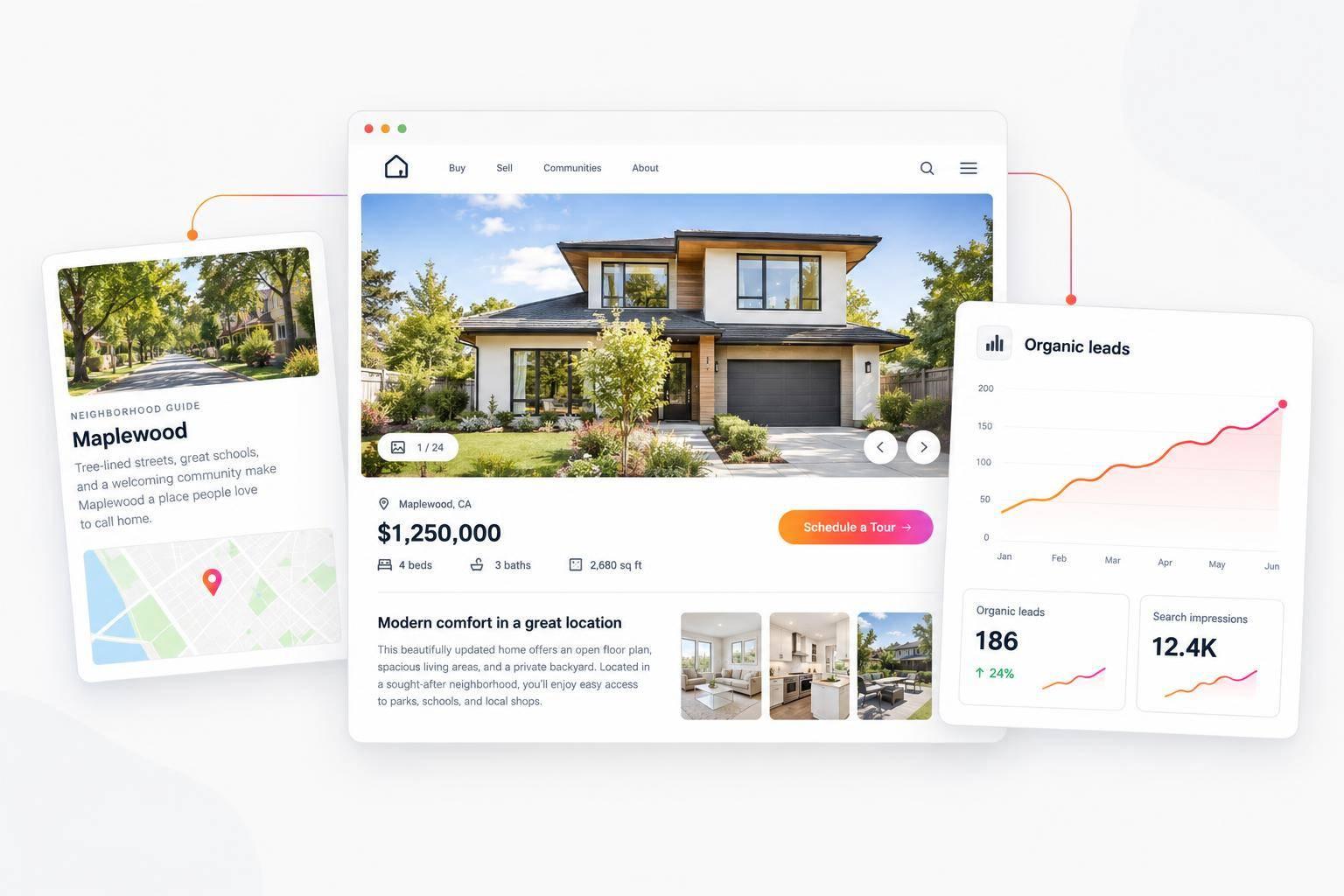
Does IDX Help SEO? The Honest Answer for Real Estate Websites
IDX can support SEO, but adding a listing widget won’t improve rankings on its own. I’d start by checking 3 things: one listing page, one neighborhood page, and your main search tool.
Here’s what I’d focus on:
- Search access: Can Google find and read your listing pages? Check live URLs in Google Search Console.
- Page quality: Add original local details, link related pages, and control duplicate listings and filter URLs.
- Mobile use and MLS rules: Test speed, filters, listing updates, and required attribution.
- Results: Track organic search visits and qualified inquiries - not just how many pages get indexed.
My rule: <u>treat IDX as a search tool, not an SEO shortcut</u>. Give visitors useful pages, then check whether those pages can appear in search.
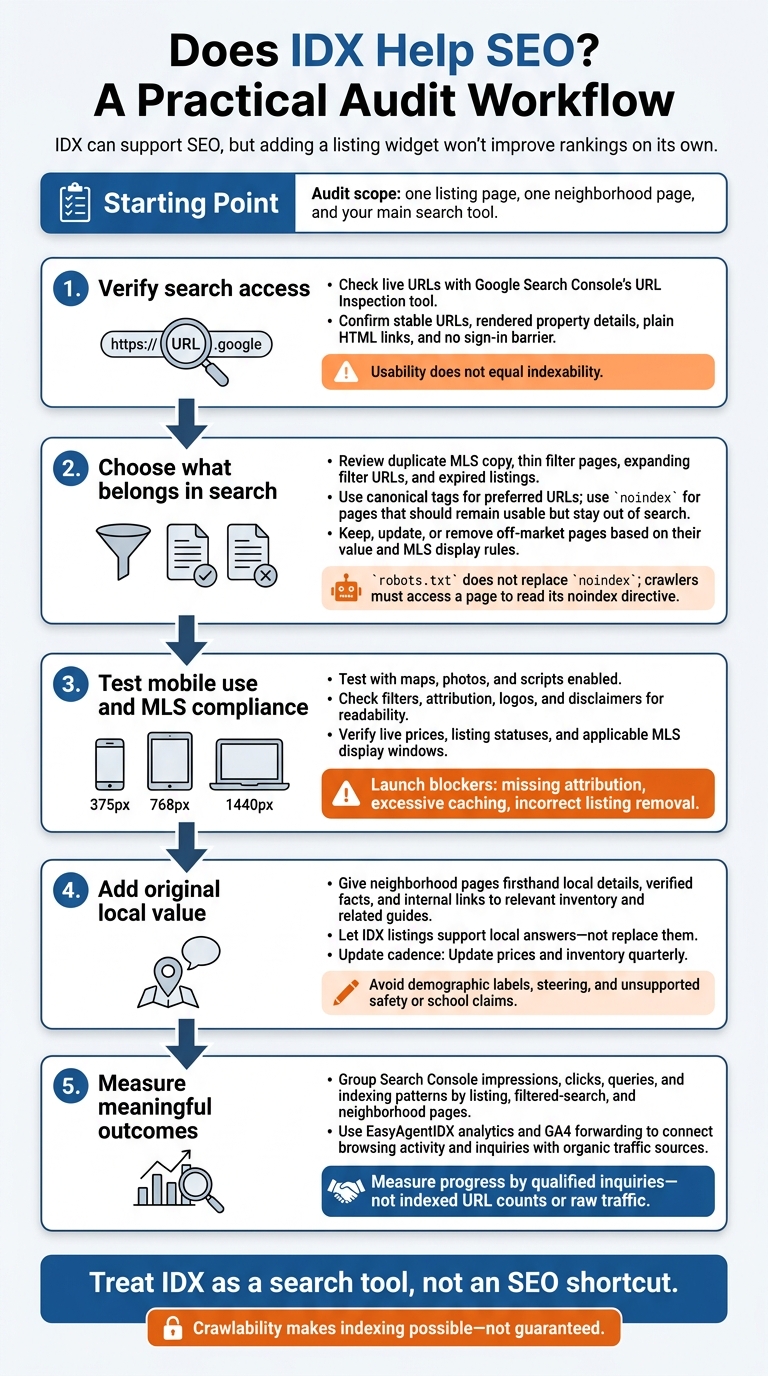
Does IDX Help SEO? A Practical Audit Workflow
Make IDX Pages Crawlable and Choose What Gets Indexed
Once your IDX pages are live, decide which ones search engines should crawl and index. Then check whether they work well on mobile. Crawlability makes indexing possible - not guaranteed. Google may skip pages that offer little beyond duplicate MLS data or small filter changes.
Embedded Widgets vs. Crawlable Pages
| Implementation type | What visitors can do | Search-engine access | Typical SEO limitation |
|---|---|---|---|
| Embedded search widget | Search and filter listings | Depends on implementation | Interactive results may not be indexed on your domain |
| Crawlable listing pages | View property details | Stable URLs, if accessible | Shared MLS copy makes pages harder to set apart |
| Neighborhood pages | Browse area information | Linked pages, if accessible | A listing grid alone adds little value |
Google can render JavaScript. But that doesn’t mean it will interact with a search widget or index iframe results on your domain. Check individual listing URLs with Google Search Console’s URL Inspection tool to see their rendered content.
Check Page Access and Mobile Speed
Make sure each page has a stable URL, visible content, and no sign-in barrier. Use plain HTML links, and give each page its own title and headings.
Test mobile speed with maps, photos, and scripts enabled - not stripped out. Use WebP images, lazy-load property photos, and make buttons easy to tap. Required MLS disclaimers and listing office attribution must stay visible on a 375 px mobile screen.
Manage Duplicate Content, Filters, and Expired Listings
With access and speed checked, decide which pages belong in search results.
| Element | Useful role | Risk to manage |
|---|---|---|
| Searchable inventory | Helps buyers browse homes | Thin results pages |
| Crawlable listings | Makes property details discoverable | Indexing is not guaranteed |
| Duplicate MLS copy | Supplies property facts | Similar pages may not be indexed |
| Expanding filter URLs | Supports buyer searches | Endless combinations waste crawl budget |
| Expired listings | Preserves useful history | Stale information and MLS display rules |
Use canonical tags to point to preferred URLs. Apply noindex to pages that should stay usable but out of search, and use crawl controls to limit expanding filter combinations. robots.txt does not replace noindex: crawlers must access a page to read its noindex directive.
Keep, update, or remove off-market pages based on their value and MLS display rules - not a blanket rule.
Support Listings With Original Local Content
Once IDX pages are crawlable, original local content gives search engines a reason to rank them.
Start with a few neighborhoods buyers already ask about. Answer common questions about living in or moving to each area, using original local details. Let IDX listings support those answers - not replace them.
Write Neighborhood Guides With Firsthand Details
Show what daily life looks like: noise, parking, commute times, and amenities. Make clear which details come from firsthand observations and which are verified facts.
Update prices and inventory quarterly. Avoid demographic labels, steering, and unsupported claims about safety or schools.
Match Each Page Type to a Search Need
Each page should serve a clear search need.
| Page type | User purpose | Search value | What it needs |
|---|---|---|---|
| Embedded search widget | Search available homes | Primarily helps existing visitors | A crawlable landing page |
| Individual listing | View property details | Address-specific searches | A crawlable URL with schema |
| Filtered search page | Find homes by specific criteria | Targeted property searches | A distinct search intent and original copy |
| Neighborhood page | Research daily life and amenities | Living-in and moving-to searches | Original local content and internal links |
| Market report | Understand prices and inventory | Local market research | Live MLS stats and trend context |
Use city hub pages only when they answer recurring local questions. Link neighborhood guides to the broader city page, related local articles, and relevant inventory. That gives readers a path from researching an area to browsing available homes.
Example: A Search Widget vs. a Neighborhood Guide
A widget-only page helps visitors search. A neighborhood guide can answer the questions that bring them to search in the first place.
Audit Your IDX Setup and Set Priorities
With the basics covered, use this audit to separate pages that can rank from those that only help visitors browse.
Check Discovery, Indexing, and Listing Updates
Use Google Search Console to check which listing, filter, and neighborhood URLs Google can crawl and index. A search tool helps visitors browse, but only indexable pages can support organic visibility.
For crawlable URLs on your domain, check for internal links pointing to them, stable URLs, rendered property details, and accessible titles. Flag thin filter pages, duplicate MLS copy, and neighborhood pages that need original local copy. Review Page indexing reports for patterns across the site. An indexing exclusion calls for investigation - it doesn’t prove there’s a content problem. Use these checks to decide which pages deserve indexing and which should only serve on-site search.
Compare live prices and listing statuses with the MLS source. Check that cached data stays within the MLS display window and that sold, removed, or expired listings follow display rules. Test at 375px, 768px, and 1440px to make sure filters, attribution, logos, and disclaimers remain readable.
Check How EasyAgentIDX Works on Your Website
Usability does not equal indexability. EasyAgentIDX widgets can make browsing easier, but that doesn’t prove Google can index the pages behind them. Use Google Search Console on the live page to check what Google can render and whether the setup supports search visibility - not just browsing.
Developer API access only helps if the setup exposes crawlable URLs and rendered content. Verify the applicable MLS permissions and required attribution, logos, and disclaimers. Treat missing attribution, excessive caching, and incorrect listing removal as launch blockers.
Measure Search Visibility and Qualified Inquiries
Track whether IDX brings in search visibility and inquiries, rather than simply adding pages. Group Search Console impressions, clicks, queries, and indexing patterns by listing, filtered-search, and neighborhood pages.
Use EasyAgentIDX analytics and GA4 forwarding to connect browsing activity and inquiries with organic traffic sources. Address blocked access first, then mobile speed and original local content. Measure progress by qualified inquiries - not indexed URL counts or raw traffic.
Conclusion: Pair IDX With Accessible Pages and Original Content
An IDX widget helps visitors find listings. It doesn’t deliver rankings on its own.
Audit one listing page, one neighborhood page, and the main search experience. Use what you find to decide what to fix next.
Give each page a clear job: help visitors evaluate a home, learn about an area, or narrow their search. Support organic visibility with crawlable listing pages and original neighborhood content.
FAQs
How long does IDX SEO take to show results?
There’s no fixed timeline for results. It depends on how soon search engines crawl and index your listing pages. Gains in organic visibility happen gradually.
Help search engines find your listings by keeping your site structure clear, using crawlable listing pages instead of subdomains or iframes, and submitting your XML sitemap to Google Search Console. Track progress over time with Google Analytics and Search Console.
Which IDX pages should I prioritize for SEO?
Put hyperlocal neighborhood and community pages first, rather than relying only on individual property listings. Include original local insights: market trends, school ratings, commute times, and nearby amenities.
Pair that content with filtered IDX search results. Give each page its own keyword-rich title, add structured data, and link to related community content. These steps help search engines understand each page’s focus and reduce competition between your pages for the same keywords.
How can I tell if IDX generates qualified leads?
Use IDX analytics and CRM tracking to monitor lead conversion rates, saved searches, and property inquiries. Check each contact’s activity for repeated interest in certain neighborhoods, price ranges, or property types. These patterns can signal buyer intent and readiness to transact.
Conversational AI or home valuation forms can also collect contact details and intent signals, helping you separate casual browsers from serious prospects.